
Your week
It knows when you’re on call — and when it’s a holiday.
A fixed schedule repeats the same hours every week. Off-hours follows how your weeks really look, and switches on its own, even when the app is closed.
- Work apps available
- Blocked
- On call
- Meeting from your work calendar
- Monday 08:00–18:00
- Tuesday 08:00–18:00
- Wednesday On call 18:00–23:00
- Thursday Meeting 19:30
- Friday Public holiday
- Saturday Weekend
- Sunday Weekend
Features
Set it up once. Then forget about it.
Off-hours keeps work where it belongs. It uses Screen Time to block the work apps you choose, such as your team chat, work mail or any other app, category or website, outside your work hours: in the evening, at weekends, on vacation and on public holidays. When you are on call, or have a meeting in the evening, they open again on their own. Free, with zero tracking, no ads and no in-app purchases.
-
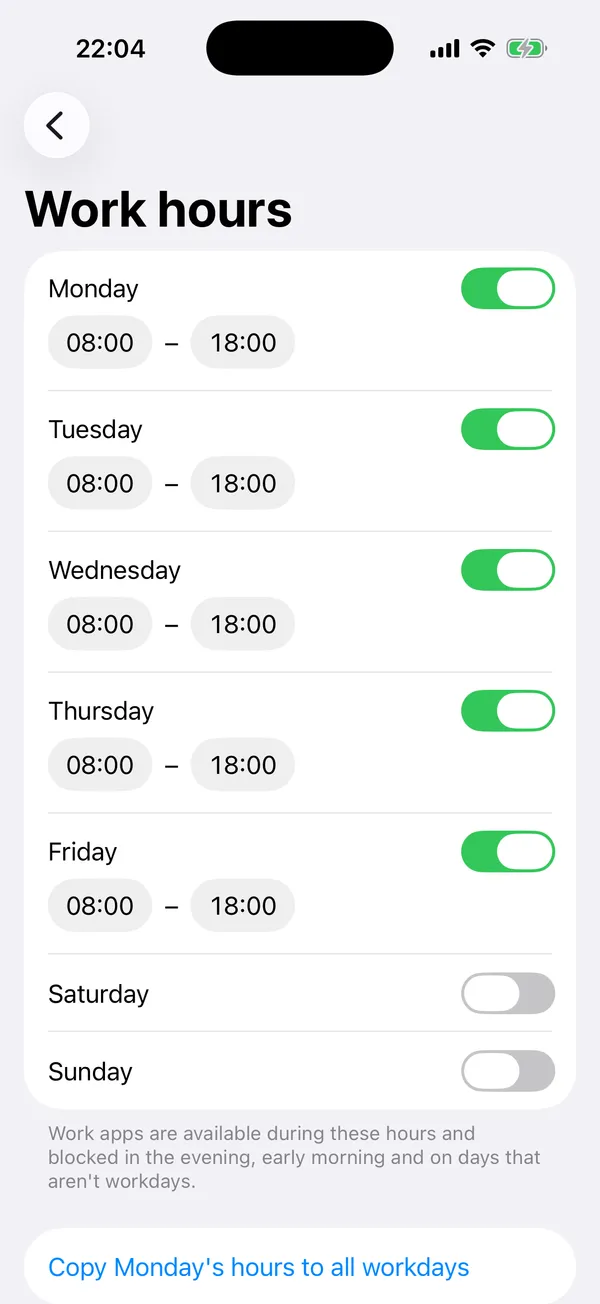
SET YOUR WORK HOURS
Choose your workdays and the hours for each weekday. In the evening, early in the morning and on days you don't work, your work apps are blocked.
-
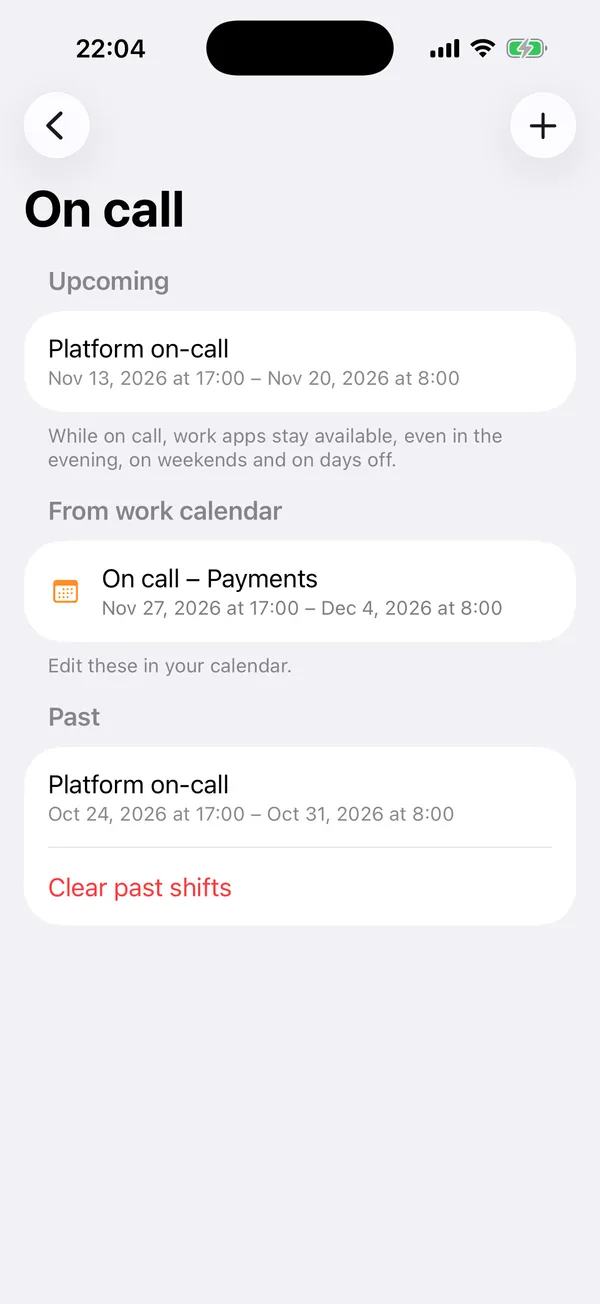
ON CALL
Add on-call shifts, from a single night to a whole week. While you are on call, your work apps stay available, even at night, at weekends and on days off.
-
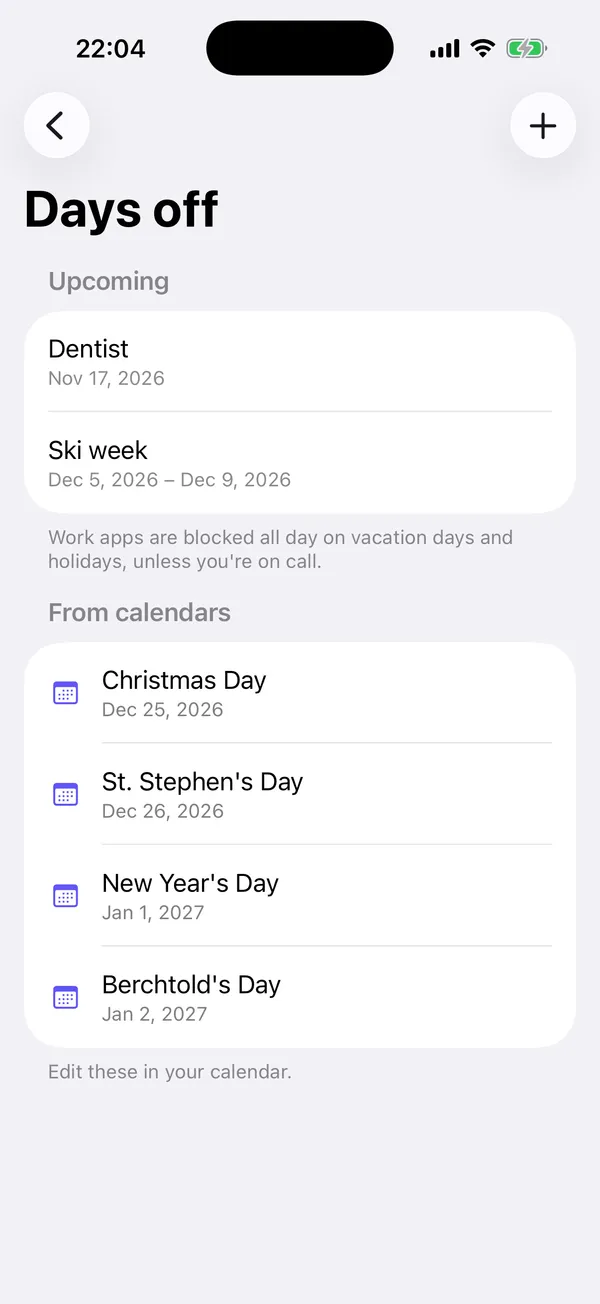
DAYS OFF AND HOLIDAYS
Add single days off or a whole vacation, and work apps stay blocked all day. Select a public holidays calendar and every holiday counts as a day off automatically.
-
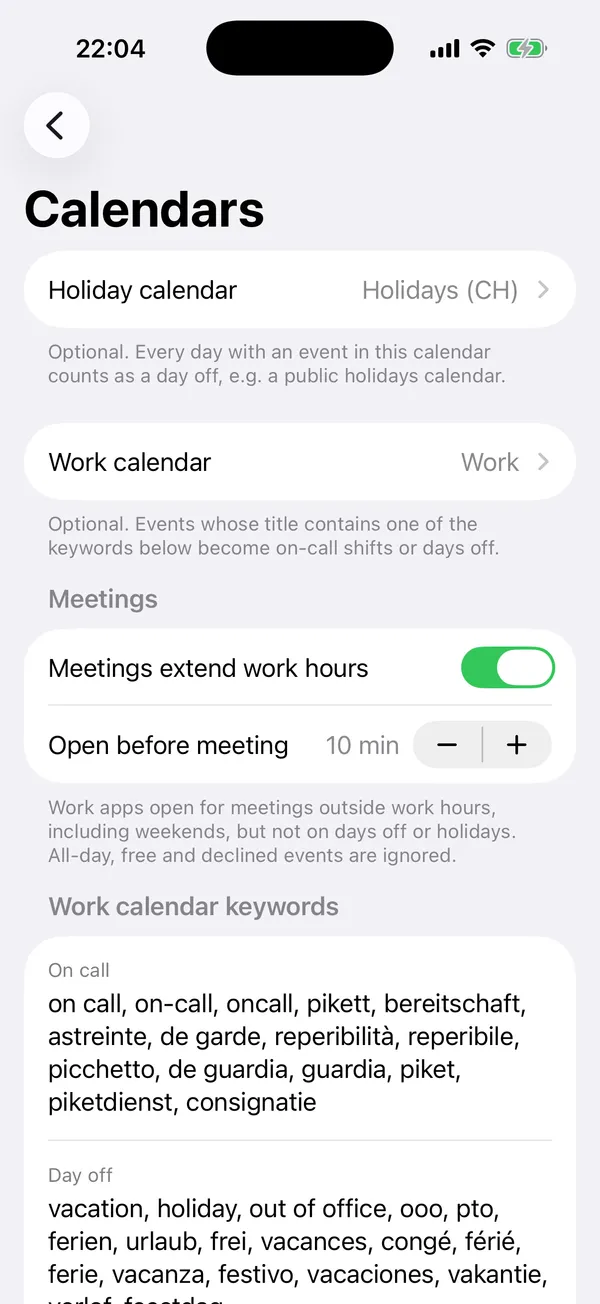
YOUR WORK CALENDAR
Select your work calendar and Off-hours finds on-call shifts and vacation by keywords such as "on call", "Pikett", "vacation" or "OOO". You can edit the keywords. Optionally, meetings outside your work hours open your work apps a few minutes before they start, until they end.
-
ALWAYS CLEAR
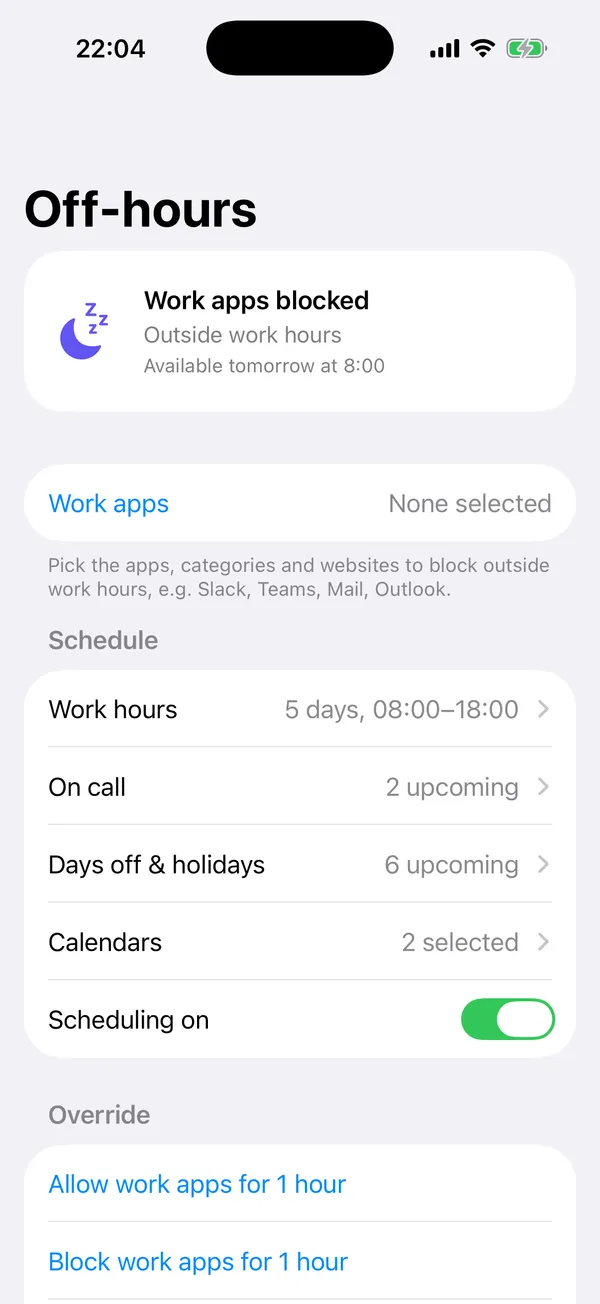
The main screen shows whether your work apps are blocked right now, why, and when that changes next. Need a work app for a moment? Allow work apps for an hour, or block them early, with one tap.
-
WORKS IN THE BACKGROUND
Off-hours switches at the right moments on its own, even when the app is closed.
-
FREE, WITH NO STRINGS ATTACHED
Off-hours is free. No in-app purchases, no subscriptions, no ads, no account, no sign-up.
ZERO TRACKING
An app about switching off shouldn’t phone home.
Everything happens on your iPhone. Off-hours collects no data at all: no analytics, no tracking, no server, and it makes no network requests. Thanks to Apple's Screen Time framework, the app cannot even see which apps you selected. Calendars are read on the device only.
Read the privacy policy
Clock out.For real.
Free, with no in-app purchases. Coming soon to the App Store.
Coming soon to theApp Store